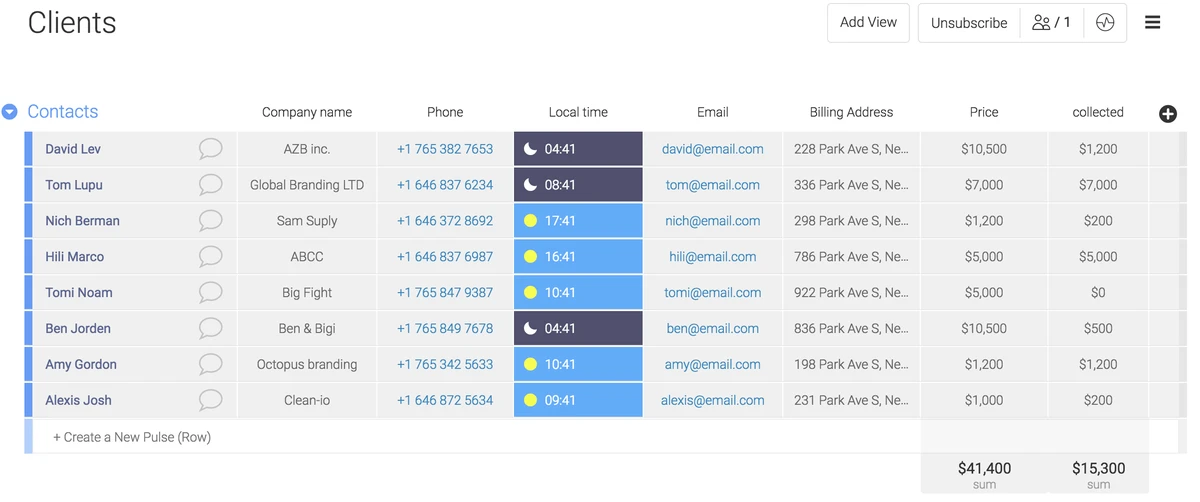
The best CRM for a law firm depends on whether your growth is ‘intake-led’ (high-volume lead capture) or ‘relationship-led’ (long-term networking). While all-in-one tools like Clio or MyCase handle case execution, dedicated legal CRMs like Lawmatics or Nexl focus on the pre-matter phase—winning the client before the legal work even begins.
Most law firms don’t lose business because they lack leads; they lose it because the intake process breaks down under real-world volume.
Legal CRM vs. Practice Management: What is the difference?
A legal CRM manages the ‘pre-matter’ phase—lead generation, intake, and relationship nurturing—to win new clients. In contrast, legal practice management software (PMS) handles the ‘active matter’ phase, including case execution, billing, and document management. Essentially, the CRM helps you win the client, while the PMS helps you serve them.
The distinction lies in the workflow timing. A CRM focuses on revenue workflows and relationship management to convert a prospect into a paying client. Once the engagement letter is signed, the focus shifts to the PMS, which manages the professional execution of the legal work. As Jusnote notes, while a CRM helps win the client, the practice management software ensures that the client is served professionally.
Criterion |
Legal CRM |
Practice Management (PMS) |
General CRM |
|---|---|---|---|
Focus of Activity |
Pre-matter workflows and relationships |
Active matter execution (tasks, billing) |
Sales pipeline and deal tracking |
Core Unit |
Matters/Prospects |
Matters/Cases |
Deals/Opportunities |
Implementation |
Rapid (legal-specific templates) |
Moderate (operational setup) |
Slow (requires custom configuration) |
This table illustrates that while there is overlap, the core objective of a CRM is growth, whereas a PMS is designed for operational efficiency and compliance.
Choosing Your Growth Model: Intake-Led vs. Relationship-Led
Intake-led firms (e.g., Personal Injury) require high-volume lead tracking and rapid response tools like Lawmatics or Law Ruler. Relationship-led firms (e.g., Corporate/Commercial) need ‘relationship intelligence’ tools like Nexl or Introhive that automatically capture interactions and map professional networks to drive growth through existing connections.
The choice of tool must align with how the firm actually acquires business. Using a high-volume intake tool for a boutique corporate practice often leads to unused features and friction, while using a relationship-led tool for a personal injury firm will fail to capture the velocity needed to convert leads before they call a competitor.
The High-Volume Intake Engine
For firms where growth depends on a steady stream of new inquiries, the priority is speed and conversion. Tools like Lawmatics and Law Ruler are designed to prevent lead leakage by combining contact management with phone call tracking and automated marketing. In these environments, a connected CRM provides a fast, personalized first impression, which PracticePanther suggests is often what actually wins the case.
The Relationship Intelligence Approach
Corporate and commercial firms rely on the “who knows whom” dynamic. Nexl focuses on relationship intelligence, allowing firms to surface connections across the entire organization. Rather than tracking a linear sales funnel, these tools map professional networks and capture relationship activity automatically to identify the warmest path to a new engagement.
To determine the correct category, firms can use the following decision logic:
- Intake-Led: High volume of unique leads, focus on rapid response, high reliance on digital marketing/referrals (e.g., Personal Injury, Family Law).
- Relationship-Led: Low volume of high-value leads, focus on long-term networking, reliance on existing professional ties (e.g., M&A, Corporate Law, Specialized Boutique).
Purpose-Built Legal CRMs vs. General CRMs
The fundamental difference between a legal-specific CRM and a general-purpose tool like HubSpot is the core data unit. A legal CRM is built around “matters,” whereas general CRMs track “deals.” This distinction is not merely semantic; it affects how data is mapped and reported.
General CRMs often lack built-in legal requirements, such as conflict of interest checking, which is a standard feature in legal-specific systems according to Ringover. To make a general CRM function like a legal tool, firms must invest in significant customization. Nexl reports that this adaptation requires time and budget for ongoing maintenance that is rarely accounted for during the initial evaluation.
How to prevent the ‘CRM Failure’ mode
The most common reason law firms abandon CRM software is attorney non-adoption. This occurs when the software forces lawyers to change their established habits—such as manually entering every email or call—rather than fitting into existing workflows like Outlook or Gmail.
Data reliability is another critical failure point. When firms rely on manual entry, information becomes unreliable as people change roles or move firms. This creates a trust gap where executives cannot rely on the data to make decisions. An Accenture finding indicates that only one third of executives trust their data enough to derive real value from it.
To ensure a successful rollout and maintain partner buy-in, firms should implement these strategies:
- Prioritize Automatic Capture: Use tools like Introhive or Nexl that automatically capture and enrich contact information from communication logs, removing the burden of manual entry from the attorney.
- Reduce Friction: Integrate the CRM directly into the tools lawyers already use, ensuring that interaction logging happens in the background.
- Automate Data Cleaning: Implement systems that identify new contacts from communication and remove duplicates automatically to maintain a “single source of truth.”
Evaluating the Right Tool: A Pilot Framework
Rather than relying on vendor demonstrations, firms should run a pilot program focused on objective conversion metrics. This allows the firm to test how the tool fits into the actual daily workflow of the staff and attorneys.
A successful pilot should measure four key KPIs to determine if the tool is improving the bottom line: response time to new leads, the rate of scheduled consultations, the actual show rate for those consultations, and the total time-to-retain. These metrics provide a factual basis for comparing different tools.
Shortcut: When testing, focus on the “hand-off” point. Ensure that data flows from the CRM into the practice management system (such as Clio or MyCase) without requiring the staff to enter the client’s information a second time.
FAQ
Can a general CRM like HubSpot work for a law firm?
Yes, but it requires significant time and budget to adapt for legal use. General CRMs track ‘deals’ rather than ‘matters’ and lack built-in legal features like conflict checking, meaning firms must pay for custom configuration and maintenance.
What happens if we use a CRM but the attorneys won’t enter data?
This is a common failure mode. To prevent it, firms should utilize tools with automatic interaction capture, such as Nexl or Introhive. This ensures the software fits the lawyer’s existing workflow rather than forcing them to change how they work.
Do I need both a CRM and Case Management software?
For firms with high lead volume or complex networking needs, yes. As Jusnote explains, the CRM is used to win the client through intake and nurturing, while the practice management software is used to serve that client professionally through billing and execution.